PNGOut
I recently stumbled upon a program called PNGOut, which supposedly is incredibly efficient at compressing png files. The creator, Ken Silverman, created the original version for Windows, and was ported to OS X/Linux by Jonathon Fowler. After a couple unsuccessful download attempts, the download magically worked, and I had a binary of PNGOut!
Now, let’s see how well it really works.
I copied over the binary to /usr/local/bin, where I keep custom command-line programs. Running it on a couple image files, I can say I was impressed. For example, these images (border added via CSS — not part of actual image):

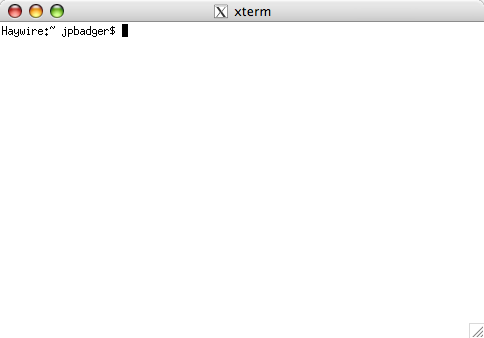
They are 6.0 KiB and 7.3 KiB, respectively. Seeing as I enjoy tabulating data (not necessarily a bad thing!), here’s some test data I tried.
Results 1: php.png, 95x51 px
Command: $ time pngout php.png php2.png
Input: php.png coltype:6 (RGB+Alpha)
Output: php2.png coltype:6 (RGB+Alpha) filter:5 (mixed)
Input size: 7119 bytes
Output size: 6000 bytes
Change: -1119 bytes (84% of original)
real 0m0.893s
user 0m0.521s
sys 0m0.016s
Command: $ time pngout -b128 php.png php2.png
Input: php.png coltype:6 (RGB+Alpha)
Output: php2.png coltype:6 (RGB+Alpha) filter:5 (mixed)
Input size: 7119 bytes
Output size: 6000 bytes
Change: -1119 bytes ( 84% of original)
real 0m1.651s
user 0m0.528s
sys 0m0.018s
Command: $ time pngout -b1024 php.png php2.png
Input: php.png coltype:6 (RGB+Alpha)
Output: php2.png coltype:6 (RGB+Alpha) filter:5 (mixed)
Input size: 7119 bytes
Output size: 6000 bytes
Change: -1119 bytes ( 84% of original)
real 0m1.302s
user 0m0.517s
sys 0m0.017s
Results 2: x11_1.png, 484x338 px
Command: $ time pngout -b1024 x11_1.png small.png
Input: x11_1.png coltype:6 (RGB+Alpha)
Output: small.png coltype:6 (RGB+Alpha) filter:5 (mixed)
Input size: 7433 bytes
Output size: 5012 bytes
Change: -2421 bytes ( 67% of original)
real 1m8.858s
user 0m27.696s
sys 0m0.553s
Command: $ time pngout -b128 x11_1.png small.png
Input: x11_1.png coltype:6 (RGB+Alpha)
Output: small.png coltype:6 (RGB+Alpha) filter:5 (mixed)
Input size: 7433 bytes
Output size: 5083 bytes
Change: -2350 bytes ( 68% of original)
real 1m25.449s
user 0m32.361s
sys 0m0.661s
Command: $ time pngout x11_1.png small.png
Input: x11_1.png coltype:6 (RGB+Alpha)
Output: small.png coltype:6 (RGB+Alpha) filter:5 (mixed)
Input size: 7433 bytes
Output size: 5045 bytes
Change: -2388 bytes ( 67% of original)
real 1m57.364s
user 0m45.984s
sys 0m0.978s
Conclusion
As you can see, larger images take longer to process; I’d imagine a larger image (desktop size) would take considerable more time to process. It seems the time required is more dependent on dimensions, although I didn’t test any image with a large colour palette. Taking a close look shows no discernible image quality change. For what it’s worth, spending a couple minutes to shave off a few percent is useful, especially in high traffic websites.
Feel free to give it a shot, the download links are below.